



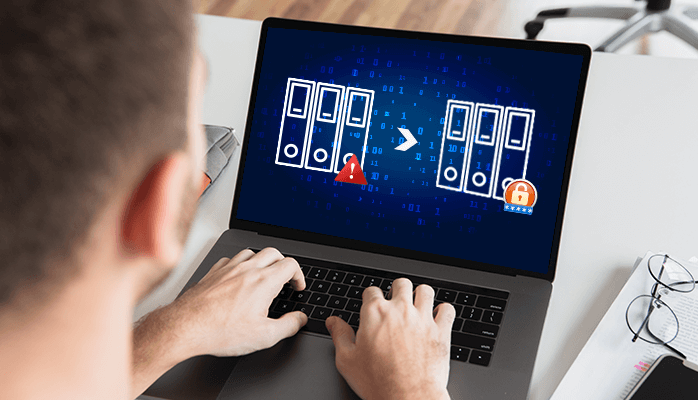
The write-up is completely focusing on the query "how to protect data from hackers?". Data plays an important role in day-to-day life, but what if it is attacked by the hacker. The data can be manipulated by the hacker. So, to secure important data from any spam you need to understand some steps to save your data from malware attacks. Keep reading!!
What is hacking?
Hacking means using computers to perform fraud acts such as spam, invasion of privacy, theft of corporate/personal data, etc. Cyber-crimes cost millions of dollars each year to many organizations. Businesses need to protect themselves from such attacks. A hacker is a person who finds and hacks the weaknesses to gain access to computer systems and/or networks. Hackers are usually computer programmers with computer-security knowledge.
It is the duty of small businesses to prevent these crimes from damaging company property and stealing consumer information.
You can also read, How to create a backup and protect them.
How to secure your data from hackers?
Here are a few measures that you can take to protect the company's integrity:
Use Antivirus Software
Antivirus software plays a significant role in securing your system by detecting threats in real-time to ensure that your data is safe. To protect your computer from the new viruses that are created daily. Many advanced antivirus software provides automatic updates. Don't forget to use it after you install an antivirus program.
Always use a Firewall
The first thing you have to do with your system is to ensure that the firewall is activated before you go online. And, depending on your broadband router, which also has a built-in firewall that protects your network, you can also purchase a hardware firewall from companies like Cisco, Sophos or Fortinet.
Create a Complex Password
The most important way to prevent illegal intrusion into your computer network is to use secure passwords. It is very much harder to invade your system by a hacker by making a complex password.
Keep your system up to date
Please install new updates of your operating system. Some updates provide security fixes that prevent the information from being accessed and abused by hackers.
Use an Anti-Spyware Package
Spyware is a special type of software that secretly monitors and collects information about people or organizations. It is designed to be difficult to detect and hard to uninstall and appears to deliver unnecessary advertising or search results that guide you to certain websites. Anti-spyware packages, by scanning all incoming information and blocking threats, provide real-time protection.
Ignoring Spam makes a system secure
Always beware of unidentified parties' email messages and never click links or open attachments to accompany them. Over the last few years, spam-catchers have improved their game and become pretty good at catching the most horrible spam.
System Backup
It provides a backup of the data you have saved into your system. If in any case your system gets stolen or damaged then you will have data saved. So always keep a backup of data to an external hard drive so that you can easily recover when lost.
Not use Open Wi-fi
Stealing your connection and uploading illegal files is too easy for threatening actors. Protect your wi-fi with an encrypted password and consider refreshing your equipment every couple of years. Some routers have vulnerabilities that have never been patched. Newer routers allow segregated wireless access to your guests.
Two-Factor Authentication
Defence against computer hackers, passwords is the first security to be improved. Major online companies such as Facebook, Google, Apple, and Microsoft allow you to use two-factor authentication, which allows you to type in addition to your password when signing in a numerical code. This will make your account more complicated for the outside world.
Always use encryption to protect data from hackers
In case somebody may steal your data or track your internet connection, encryption can prevent hackers from accessing any of the information. To encrypt your Windows or macOS hard drive you can use BitLocker or FileVault and encrypt any USB flash drive containing sensitive information.
Switch Off your System when not in Use
After performing work on your system, always switch off it. Leaving electronic devices connected to the internet, and most often wired, opens the door for virus attacks or hackers. Leaving your machine connected to the Internet when it is not in use gives scammers 24/7 access to malware download and cyber-crimes.
Bottom Lines
We have mentioned all the measures to protect data from hackers or "how to secure your data from hackers". Hopefully, you will understand all the measures to save data from any threats.
 1
1
 1
1
 1
1